Introduction
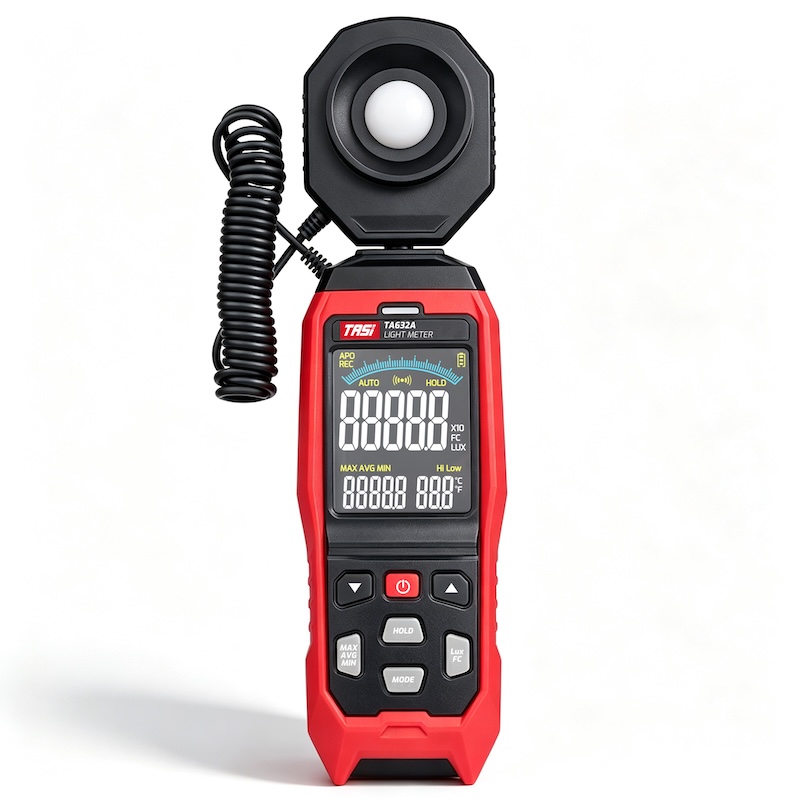
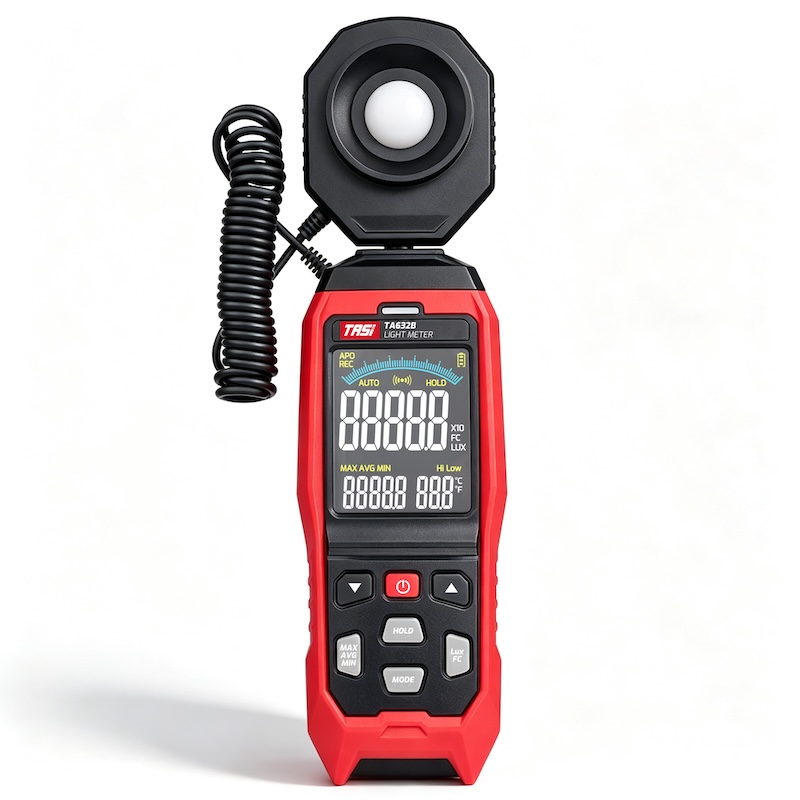
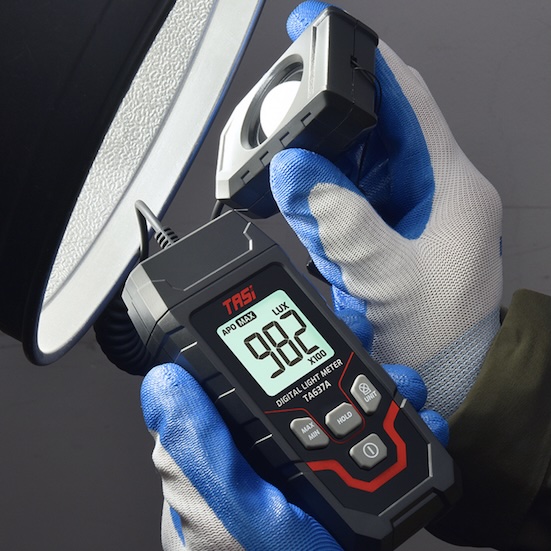
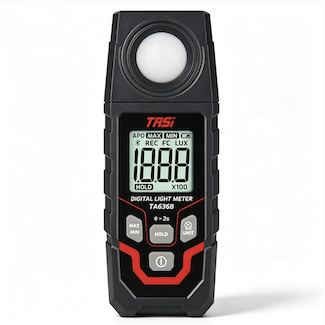
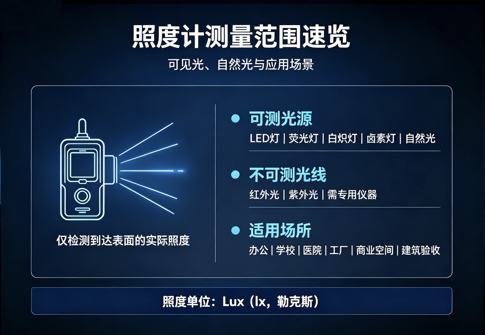
A digital lux meter is a widely used instrument for measuring illuminance on a work surface or at a specified measurement point. It is commonly used in offices, schools, hospitals, factories, warehouses, commercial buildings, LED lighting applications, laboratories, and lighting engineering projects.
Although all digital lux meters are designed primarily to measure illuminance, their feature sets can vary considerably. Basic models generally focus on real-time readings, while instruments intended for engineering inspections, quality control, or laboratory work may also provide MAX/MIN recording, Data Hold, manual ranging, data storage, and PC connectivity.
More functions do not automatically make a lux meter better. What matters is whether those functions match the actual measurement task. Understanding the purpose of each feature helps users select an instrument that meets their requirements without paying for unnecessary capabilities.
Key Takeaways
After reading this article, you will understand:
● Which basic functions are commonly found on digital lux meters
● The difference between Data Hold, MAX/MIN, and Peak Hold
● When automatic and manual ranging are useful
● The purpose of data memory, data logging, and PC communication
● Which functions should be prioritized for different applications
● Why the number of functions alone should not determine instrument selection
What Problems Do Digital Lux Meter Features Address?
The primary purpose of a digital lux meter is to measure illuminance and display the result in lux (lx) or another supported unit. Manufacturers may add various supporting functions to improve measurement efficiency, simplify reading and recording, and support subsequent data management.
These functions can generally be divided into three categories:
● Measurement functions: real-time illuminance measurement, range selection, lux/fc conversion, relative measurement
● Data functions: Data Hold, MAX/MIN recording, data memory, automatic data logging
● Operating functions: display backlight, auto power off, low-battery indication, and PC communication
Different models offer different combinations of these features. Not every digital lux meter includes all the functions described below.
What Are the Common Features of a Digital Lux Meter?
Real-Time Illuminance Measurement
This is the core function of every digital lux meter. The light sensor receives incident light at the measurement point, converts it into an electrical signal, and the instrument processes the signal to display the illuminance value in real time.
Common units include:
● Lux (lx)
● Foot-candle (fc)
Real-time measurement is used for lighting inspections in offices, classrooms, factories, warehouses, retail spaces, and many other indoor and outdoor environments. It is also the basis for comparing illuminance at different measurement points.
Lux / Foot-Candle Unit Conversion
Lux is the widely used SI unit of illuminance, while foot-candle is still used in some markets and applications that follow imperial units.
A lux meter with lux/fc conversion allows users to switch directly between the two units without performing manual calculations.
This can be useful for international projects, laboratory records, and lighting measurements carried out for different markets.
Auto Range
Illuminance can vary over a very wide range, from dim indoor environments to bright outdoor daylight.
An auto-ranging lux meter automatically selects an appropriate measurement range according to the detected illuminance level.
Its main advantages include:
● Less manual range switching
● Faster field measurements
● Lower risk of selecting an unsuitable range
● Easier measurement when moving between areas with different light levels
Auto range is particularly convenient for general lighting inspections and applications involving frequent changes in measurement location.
Manual Range
Some digital lux meters also provide manual range selection. This allows the user to fix the instrument to a specific measurement range based on the expected illuminance level.
Manual ranging can be useful when measurement conditions are relatively stable or when the user wants to observe changes without automatic range switching.
Manual range does not necessarily provide greater measurement accuracy than auto range. The main difference is how the measurement range is selected and controlled.
Data Hold
Data Hold freezes the current reading on the display. After the HOLD button is pressed, the displayed value remains available even if the sensor is moved away from the original measurement position.
This is particularly useful for:
● Measurements where the sensor and display cannot be viewed simultaneously
● Measurements at elevated or confined locations
● Recording a reading after completing the measurement
● Multi-point field inspections
Data Hold temporarily freezes a displayed value; it is not the same as storing measurement data in memory.
MAX/MIN Recording
The MAX/MIN function records the highest and lowest values observed during a measurement period.
Depending on the instrument, the display may provide:
● Maximum illuminance
● Minimum illuminance
● Current illuminance
This feature can help users observe changes in ambient light, variations over time, or fluctuations within a specific measurement area.
When evaluating lighting uniformity, maximum, minimum, and average illuminance should be considered together with the measurement grid and the relevant evaluation method. Lighting quality should not be judged from a single MAX or MIN reading alone.
Peak Hold
Peak Hold differs from standard Data Hold.
Data Hold freezes the reading at the moment the user activates the function, while Peak Hold is generally designed to capture a short-duration high value during measurement.
It may be useful for observing certain rapidly changing light sources, but the actual peak-capture capability depends on the response time and sampling method of the instrument.
For professional analysis of LED flicker, flicker frequency, or other temporal light modulation characteristics, the Peak Hold function of a general-purpose lux meter should not be considered a substitute for dedicated flicker measurement equipment.
Relative Measurement
Some digital lux meters provide a REL or relative measurement function. A current measurement can be stored as a reference, after which the meter displays the difference between subsequent readings and that reference value.
This is useful for:
● Comparing different measurement locations
● Comparing illuminance from different luminaires
● Observing changes before and after light-source ageing
● Comparative laboratory testing
Data Memory
Some digital lux meters can store readings in internal memory, allowing several measurement points to be recorded in the field and reviewed later.
Depending on the model, stored information may include:
● Illuminance values
● Measurement record numbers
● Date and time
● MAX/MIN data
The exact storage capacity and recorded parameters depend on the individual instrument.
Automatic Data Logging
Data logging is not the same as simply saving individual readings.
Professional models may automatically record illuminance values at predefined time intervals, creating a continuous measurement history over a specified period.
This is particularly useful for:
● Long-term illuminance monitoring
● Daylight studies
● Building lighting analysis
● Continuous laboratory testing
● Monitoring lighting-system operating conditions
Where changes in illuminance over time need to be analyzed, automated data logging is generally more efficient than manual recording.
USB or Other Data Communication
Some professional digital lux meters can be connected to a computer via USB or another communication interface, allowing measurement data to be transferred to compatible software for storage, review, or analysis.
Depending on the instrument and software, available functions may include:
● Viewing real-time measurement data
● Exporting measurement records
● Displaying illuminance trends
● Saving test results
● Further data analysis
Not all USB-equipped lux meters provide the same software capabilities. When selecting an instrument, users should also check the supported communication interface, software, and data-export functions.
Display Backlight
In basements, warehouses, night-time inspection environments, and other low-light locations, a standard LCD may be difficult to read.
A display backlight improves readability and allows users to view measurement results without additional lighting.
Because backlighting consumes additional battery power, some instruments automatically switch it off after a preset period.
Auto Power Off
Auto Power Off shuts down the instrument after a defined period without operation, reducing unnecessary battery consumption.
This is particularly useful for mobile inspection work, where an instrument may otherwise be left powered on unintentionally.
Some models also allow Auto Power Off to be disabled when continuous long-term measurement is required.
Low-Battery Indicator
When battery capacity falls below a certain level, the instrument displays a low-battery symbol or warning.
Monitoring the battery status helps prevent:
● Unexpected shutdown during measurement
● Interrupted long-term data logging
● Inability to complete field testing
If the manufacturer specifies that low battery voltage may affect normal operation, the battery should be replaced or recharged according to the operating instructions.
Which Features Matter Most for Different Applications?
| Application | Functions to Prioritize |
|---|---|
| Office lighting inspections | Real-time measurement, Auto Range, Data Hold |
| Schools and public buildings | Auto Range, MAX/MIN, Data Hold |
| Engineering inspections | MAX/MIN, data memory, Data Logging |
| Factory and industrial maintenance | Auto Range, Data Hold, MAX/MIN |
| LED and luminaire testing | Manual Range, relative measurement, data logging |
| Laboratory applications | Relative measurement, Data Logging, data communication |
| Long-term lighting monitoring | Data Logging, time-stamped records, PC communication |
The final selection should also consider measurement range, accuracy, resolution, sensor performance, and the required test method.
Does More Features Mean a Better Lux Meter?
Not necessarily.
For general office, residential, or field lighting checks, a digital lux meter with reliable illuminance measurement, Auto Range, and Data Hold may already be sufficient.
For engineering inspections, building lighting assessment, or applications where many readings must be retained, functions such as MAX/MIN, data memory, and Data Logging can significantly improve efficiency.
Laboratories, optical R&D, and long-term monitoring applications may additionally benefit from relative measurement, automatic logging, and PC connectivity.
When selecting a digital lux meter, users should first verify whether its measurement range, accuracy, resolution, spectral response, and cosine response meet the application requirements. Supporting functions should then be selected according to the measurement workflow. The number of functions alone does not indicate the measurement performance of the instrument.
FAQ
What are the most commonly used functions of a digital lux meter?
Common functions include real-time illuminance measurement, lux/fc conversion, Auto Range, Data Hold, MAX/MIN, display backlight, and Auto Power Off. Professional models may also include data memory, Data Logging, and PC communication.
What is the difference between Data Hold and MAX/MIN?
Data Hold freezes the reading at the time the user presses the HOLD button, while MAX/MIN records the highest and lowest values observed during a measurement period.
Should I choose Auto Range or Manual Range?
Auto Range is more convenient for general field inspection. Manual Range may be useful when conditions are stable or when the user wants to keep the instrument on a fixed range while observing changes.
Are data memory and Data Logging the same?
No. Data memory usually stores one or more individual readings, while Data Logging normally records measurements automatically at defined time intervals.
Do general users need USB connectivity?
Not necessarily. It is mainly useful when measurement data must be logged over time, exported in batches, or analyzed on a computer.
Can Peak Hold be used for LED flicker testing?
Peak Hold can help capture certain short-duration high readings, but it does not provide a complete analysis of LED flicker. Dedicated flicker measurement equipment should be used for professional temporal light modulation testing.
Does a lux meter with more functions measure more accurately?
No. Function count mainly affects usability and data management. Measurement accuracy also depends on instrument accuracy specifications, sensor performance, spectral response, cosine response, calibration status, and the measurement method.
Should I look at specifications or functions first when selecting a lux meter?
Measurement range, accuracy, resolution, and sensor-related performance should be confirmed first. Supporting functions such as Data Hold, MAX/MIN, and Data Logging should then be selected according to the application.
Conclusion
The core purpose of a digital lux meter is illuminance measurement, but modern instruments often include Auto Range, Data Hold, MAX/MIN, relative measurement, data memory, Data Logging, and PC communication to improve field efficiency and data management.
Different functions address different measurement requirements. General lighting inspections mainly require simple operation and fast readings, engineering work often benefits from data retention and recording, while laboratory research and long-term monitoring place greater emphasis on continuous data acquisition and subsequent analysis.
A digital lux meter should therefore not be selected solely by comparing the number of available functions. Measurement performance should be verified first, followed by the functions that genuinely support the intended application.