Introduction
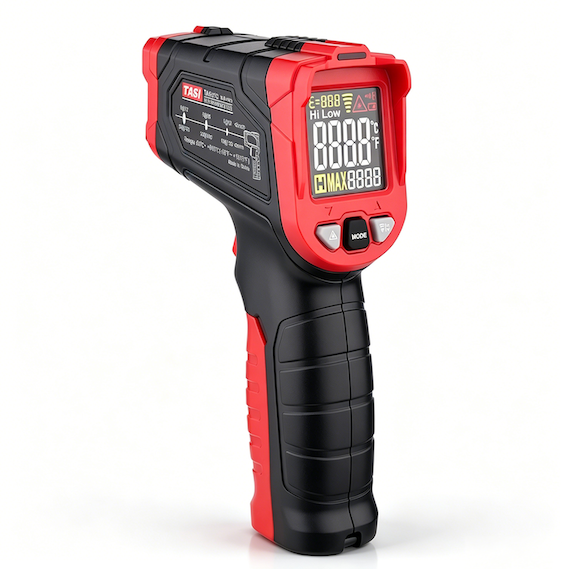
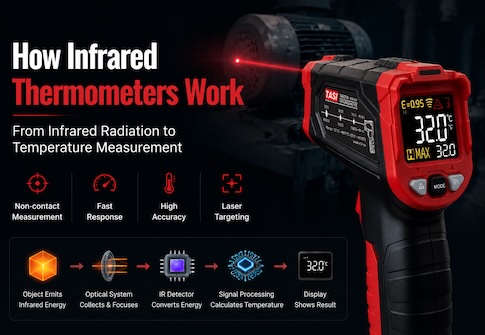
An infrared thermometer is a non-contact temperature measurement instrument that detects infrared radiation emitted by a target surface. Its optical system collects this radiation and directs it toward the infrared sensor, where the signal is converted into a temperature reading.
The lens or infrared optical window at the front of the instrument is therefore an important part of the measurement path. Over time, dust, oil, water spots, fingerprints, and other contaminants may accumulate on its surface. Heavy contamination can reduce the amount of infrared energy reaching the sensor and may affect response time, measurement stability, and accuracy.
Correct cleaning helps maintain reliable measurement performance while reducing the risk of damaging sensitive optical surfaces.
Key Takeaways
● Keep the infrared lens or optical window clean, as dust, oil, and moisture may interfere with infrared energy transmission.
● Switch off the instrument before cleaning and remove loose particles before wiping the surface.
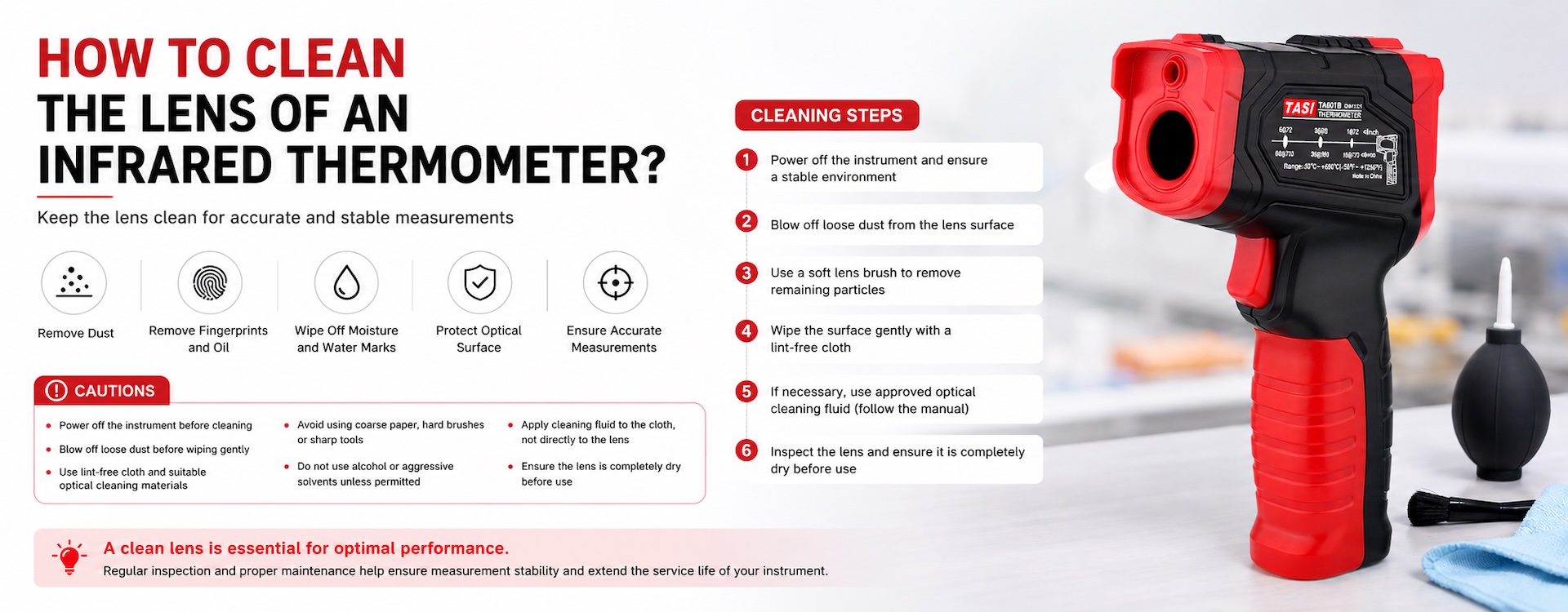
● Use an air blower, soft lens brush, lint-free optical cloth, or approved optical cleaning materials.
● Do not use rough paper towels, hard brushes, or sharp objects on the lens.
● Do not use alcohol, aggressive solvents, or chemical cleaners unless specifically permitted by the manufacturer.
● Allow the optical surface to dry completely before taking measurements.
Why Should the Infrared Thermometer Lens Be Kept Clean?
An infrared thermometer does not measure temperature with the laser pointer. Temperature measurement is based on infrared radiation emitted by the target surface. The optical system collects infrared energy from a defined field of view and focuses it onto the infrared detector.
Dust, oil, moisture, or other contamination on the lens or optical window can absorb, scatter, or obstruct part of this radiation, changing the amount of energy reaching the sensor.
A small amount of surface dust may not immediately cause a noticeable error, but increasing contamination can lead to:
● Slower measurement response;
● Reduced reading stability;
● Greater variation between repeated measurements;
● Measurement deviation compared with normal operating conditions;
● More noticeable effects when measuring small targets or at longer distances.
For this reason, checking the optical window should be part of routine troubleshooting when an infrared thermometer produces unusual readings.
What Should Be Used to Clean an Infrared Thermometer Lens?
Cleaning tools should be suitable for delicate optical surfaces and should minimize unnecessary physical contact.
Recommended options include:
● Air blower: Suitable for removing loose dust and particles and generally recommended as the first cleaning step.
● Soft lens brush: Useful for particles that cannot be removed by air alone.
● Lint-free lens cloth or microfiber cloth: Suitable for gently removing fingerprints, light oil, or water marks.
● Optical lens tissue: May be used carefully on compatible optical surfaces without excessive rubbing.
● Approved optical cleaning fluid: May be used for more persistent oily contamination when permitted by the product instructions.
If the lens material or optical coating is unknown, follow the manufacturer's maintenance instructions before using any cleaning chemical.
How Should an Infrared Thermometer Lens Be Cleaned?
A good general rule is to remove particles first and wipe only when necessary.
● Switch off the infrared thermometer. Make sure the instrument is stable and at normal ambient temperature before cleaning.
● Inspect the optical surface. Check for dust, fingerprints, oil, water spots, or other contamination under adequate lighting.
● Remove loose particles first. Use an air blower and, if necessary, a soft optical brush.
● Clean light marks gently. Use a clean, lint-free optical cloth with very light pressure.
● Treat oily or persistent contamination carefully. If permitted by the manufacturer, apply a small amount of suitable optical cleaning fluid to the cloth rather than directly onto the instrument.
● Inspect and allow to dry. Confirm that no residue, fibers, or moisture remain before using the thermometer again.
Avoid unnecessary wiping. If sand, metal particles, or other hard debris are present, wiping before removing them may scratch the optical surface.
Why Should Ordinary Paper Towels Not Be Used?
Facial tissue, kitchen paper, and other general-purpose paper products may feel soft but are not necessarily suitable for precision optical surfaces.
Their fibers may leave residue or create fine scratches during repeated use. The risk is greater when hard particles such as sand or metal dust are present on the optical window, because wiping can drag these particles across the surface.
Always remove loose particles first and use materials designed for optical cleaning when wiping is required.
Can Alcohol Be Used to Clean an Infrared Thermometer Lens?
Alcohol should not be used unless the lens material, protective window, and coating are known to be compatible with it.
Infrared thermometers may use different optical materials and coatings. Some can be sensitive to certain solvents, which may cause haze, coating deterioration, discoloration, or permanent surface damage.
Therefore:
● Use alcohol only when explicitly permitted by the product documentation;
● If no cleaning chemical is specified, start with dry air cleaning and a soft lint-free cloth;
● For persistent oil contamination, use only a cleaning method recommended by the manufacturer.
General glass cleaners, acetone, strong acidic or alkaline cleaners, and other unapproved solvents should also be avoided.
What Precautions Should Be Taken During Cleaning?
● Do not touch the optical surface directly with your fingers.
● Do not scrape contamination away with sharp objects.
● Do not use stiff brushes or abrasive materials.
● Do not apply excessive pressure to the optical window.
● Do not spray large amounts of liquid directly into the lens area.
● Do not use high-pressure compressed air at close range, as contamination may be forced into the instrument.
● Do not take measurements while moisture remains on the lens.
● If the optical window is scratched, cracked, delaminated, or contaminated internally, professional inspection is recommended instead of disassembly by the user.
How Often Should the Lens Be Cleaned?
There is no fixed cleaning interval for all infrared thermometers. Cleaning frequency should depend on the operating environment and the level of contamination.
In laboratories, offices, or other relatively clean indoor environments, periodic inspection and cleaning only when necessary may be sufficient.
In workshops, HVAC service, industrial maintenance, construction, or dusty and oily environments, the optical window should be inspected more frequently.
Cleaning should not be performed more often than necessary. Excessive wiping can increase mechanical wear on sensitive optical surfaces.
What If the Readings Are Still Inaccurate After Cleaning?
Lens contamination is only one possible cause of inaccurate infrared temperature measurements. If abnormal readings remain after the optical surface has been cleaned, also check the following:
● Whether the target emissivity is suitable for infrared measurement;
● Whether the emissivity setting is correct;
● Whether the measurement distance complies with the instrument's D:S ratio;
● Whether the target completely fills the measurement spot;
● Whether measurement is being attempted through ordinary glass or transparent plastic;
● Whether the target surface is highly reflective;
● Whether the instrument has recently moved between environments with significantly different temperatures and needs time to stabilize;
● Whether condensation, steam, smoke, or dust is affecting infrared transmission;
● Whether calibration or professional inspection is required.
Lens cleaning is therefore an important maintenance and troubleshooting step, but it should be considered together with emissivity, measurement distance, target size, and environmental conditions.
FAQ
Will a small amount of dust on the lens affect measurement accuracy?
A light layer of dust may not immediately cause a noticeable error, but accumulated contamination can reduce infrared transmission. Periodic inspection and gentle removal with an air blower are recommended.
Can I clean the lens with a damp cloth?
An ordinary damp cloth is not recommended because it may leave residue or moisture and may not be suitable for optical surfaces. Use an appropriate lint-free optical cloth instead.
How should fingerprints be removed?
Remove loose dust first, then gently wipe the surface with a clean lint-free lens cloth. If necessary, use an approved optical cleaning fluid according to the manufacturer's instructions.
Can I blow dust off the lens with my mouth?
This is not recommended. Exhaled air contains moisture and microscopic droplets that may leave additional contamination on the optical surface.
Can an infrared thermometer still be used if the lens is scratched?
The effect depends on the position and severity of the scratch. If the damage is significant or the readings become abnormal, professional inspection is recommended.
Will cleaning the lens solve every measurement accuracy problem?
No. Emissivity, target size, measuring distance, reflective surfaces, environmental conditions, and instrument condition can all affect infrared temperature readings.
Summary
The lens or infrared optical window of an infrared thermometer is responsible for transmitting infrared radiation from the target to the detector. Dust, oil, water marks, and fingerprints can interfere with this signal and may reduce measurement stability.
The recommended approach is to remove loose particles first and wipe the surface only when necessary. Use an air blower, soft optical brush, and lint-free optical cleaning materials, while avoiding abrasive paper, sharp tools, aggressive solvents, and excessive pressure.
Keeping the optical window clean, together with correct emissivity settings, proper measurement distance, and appropriate operating procedures, helps maintain stable and reliable infrared temperature measurement performance.